
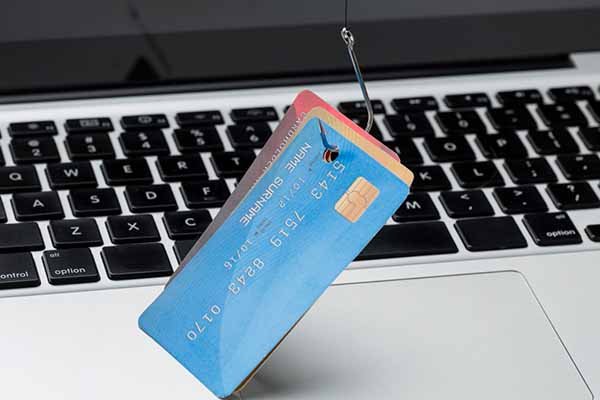
In the digital age, phishing is one of the most common threats facing internet users. Cybercriminals use various methods to steal sensitive information such as login credentials, credit card numbers, or other personal data. How can you recognize such scams and protect yourself effectively?
1. Recognizing phishing
Phishing usually takes the form of an email, SMS, or website imitating a legitimate institution. Here are some tips to spot phishing:
- Unexpected messages: Emails from banks, courier companies, or streaming platforms that you weren’t expecting.
- Errors in content: Typos, poor grammar, or mismatched logos.
- Urgent calls to action: Messages threatening account suspension if you don’t provide information immediately.
- Suspicious links: URLs that look different from those of well-known companies (e.g., “bank-secure-login.com”).
- Attachments: Never click on attachments, especially photos or PDFs, from unknown senders. They may contain malicious software.
2. How to avoid phishing?
To protect yourself effectively, follow these rules:
- Don’t click on suspicious links: Always check the URL before clicking. It’s best to type the address manually in your browser.
- Don’t share personal information: Never provide sensitive details on suspicious-looking websites.
- Verify the sender’s email: Pay attention to the email address. Fake addresses often contain minor typos.
- Use antivirus software: These programs can warn you about suspicious websites and messages.
- Verify messages: If in doubt, contact the institution directly that supposedly sent the message.
3. What to do If you fall victim to phishing?
If you suspect your data has been stolen, act immediately:
- Change passwords for accounts that might be compromised.
- Contact your bank if you provided credit card details.
- Report the incident to the appropriate authorities.
4. Education and awareness
The foundation of phishing protection is education. Regularly follow updates on the latest threats and share your knowledge with family and coworkers.

 EN
EN  ES
ES  DE
DE  FR
FR  IT
IT  PT
PT  PL
PL  SK
SK  CS
CS